Be everywhere. Open one app.

Every feed, comment and DM from all your accounts, in one place. Post once, show up everywhere. Hand your AI agent the keys when you want a break, and keep the veto.

The real app. Sample accounts.

No mock-ups on this page. This is baddie itself, with its engine swapped for sample accounts that live in your browser. Open it, click around, write a post, answer a DM. None of it goes anywhere.

The baddie app showing the feed of its demo accounts, with the inbox, agent and settings in the sidebar.The baddie app showing the feed of its demo accounts, with the inbox, agent and settings in the sidebar.Try the demo here
sample accounts · connected to nothing · runs in your browserOpen it full screen

One feed. Everything in it.

Your posts from every account, merged, newest first. Where a platform shares your home timeline, that is in there too.

Like, repost and reply from the same place. No tab for Bluesky, another for Mastodon, a third for the channel you forgot you had.

Instagram, Facebook and TikTok don’t share the home feed with any app. Not with baddie, not with anyone. For those you get your own posts, and we say so before you install rather than after.

shares what you follow
  • Bluesky
  • Mastodon
  • YouTube · subscriptions
keeps the home feed to itself
  • Instagram
  • Facebook Pages
  • TikTok
your own posts, from
  • Instagram
  • Facebook Pages
  • YouTube
  • TikTok
  • Bluesky
  • Mastodon

One inbox. Every DM and comment.

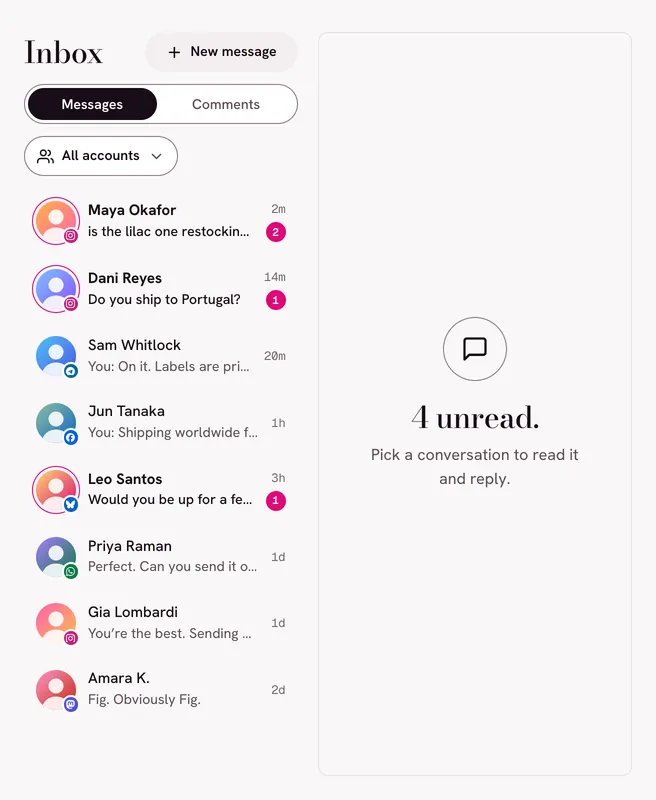
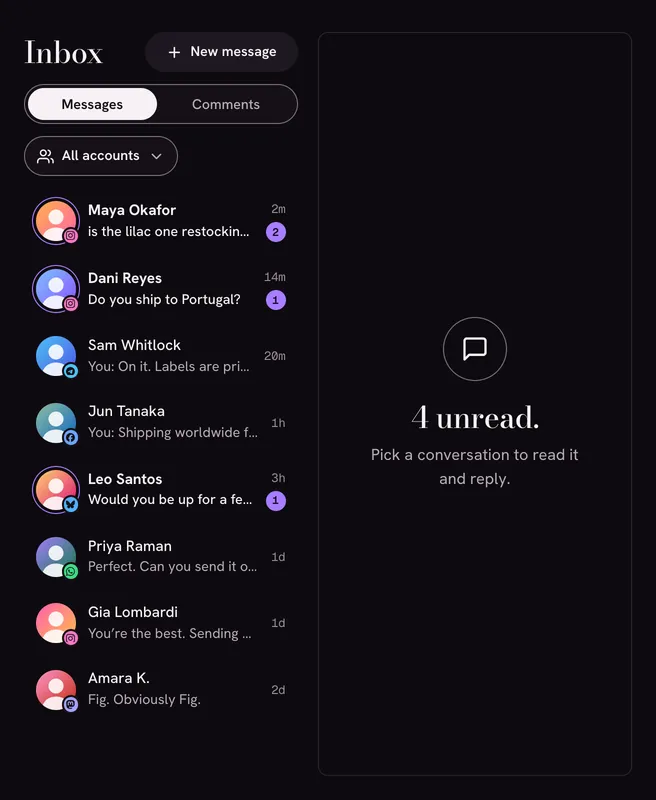
The inbox in the baddie demo: one list of direct messages from accounts on several platforms, with unread counts.The inbox in the baddie demo: one list of direct messages from accounts on several platforms, with unread counts.
the inbox · sample accountsOpen the inbox in the demo

Messages from 6 platforms in one list, with the comments on your posts right beside them.

Answer in place. Hide or delete the comments that don’t deserve an answer, where the platform lets you. Stop wondering whether anyone replied to that DM.

Meta gives you 24 hours to reply. On Instagram, Messenger and WhatsApp, a business can only answer within 24 hours of the person’s last message. Their window, not ours.

direct messages from
  • Instagram
  • Facebook Pages · Messenger
  • Bluesky
  • Mastodon
  • Telegram
  • WhatsApp Business
comments from
  • Instagram
  • Facebook Pages
  • YouTube
  • Bluesky
  • Mastodon
not in the inbox
YouTube has no DMs. TikTok has no API for DMs or comments.

Post once. Show up everywhere.

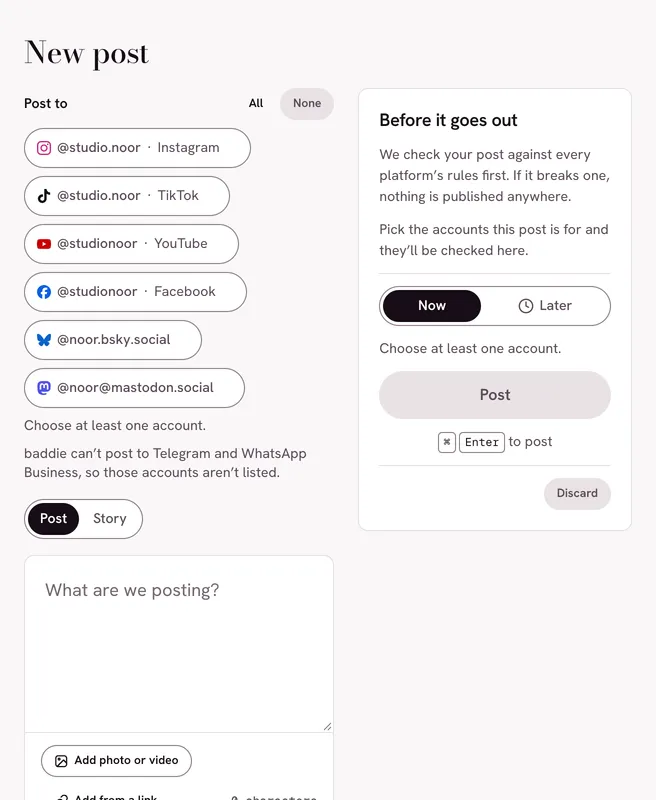
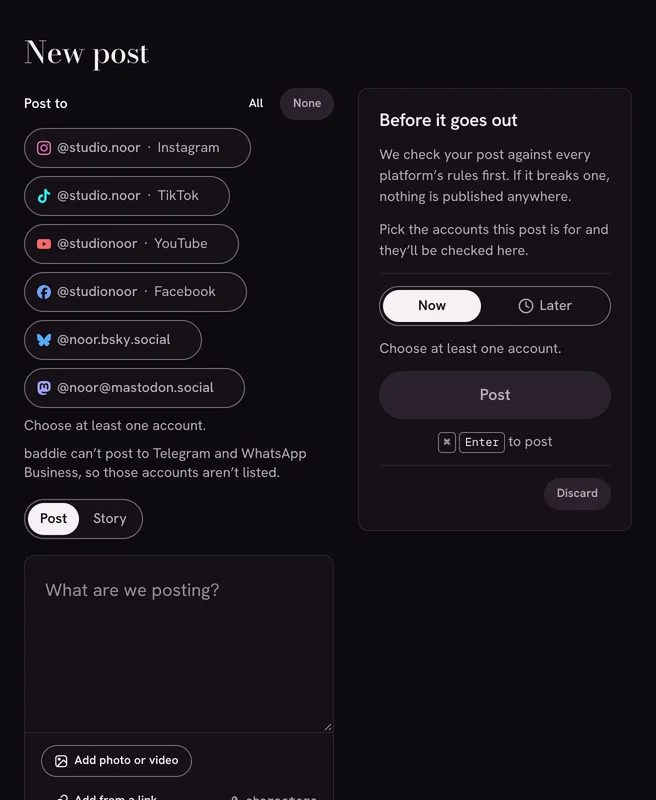
The composer in the baddie demo: the accounts to post to, the post itself, and the check that runs before anything goes out.The composer in the baddie demo: the accounts to post to, the post itself, and the check that runs before anything goes out.
the composer · sample accountsOpen the composer in the demo

Write it once, choose the accounts, post. Every platform’s rules are checked before a single thing goes out.

If your post breaks one rule on one platform, nothing is published anywhere. You fix it once and send it again, instead of deleting a half-finished announcement from four places.

If a platform fails at the last moment, you are told which one, and which accounts already have the post.

Checked before anything is published

Bluesky
300 characters. Up to 4 images or one video.
Instagram
2,200 characters. Needs a photo or video.
YouTube
Needs a video. One per post.
TikTok
Needs a video, or up to 35 photos.
Mastodon
Up to 4 photos or videos.
Facebook Pages
Up to 10 photos, or one video.
post later
Put a time on a post. It goes out then, while baddie is running.
private until audited
YouTube uploads and TikTok posts, while the developer app is your own and the platform has not audited it. Their rule.
not here
A scheduling calendar, analytics, team features.

Hand your agent the keys. Keep the veto.

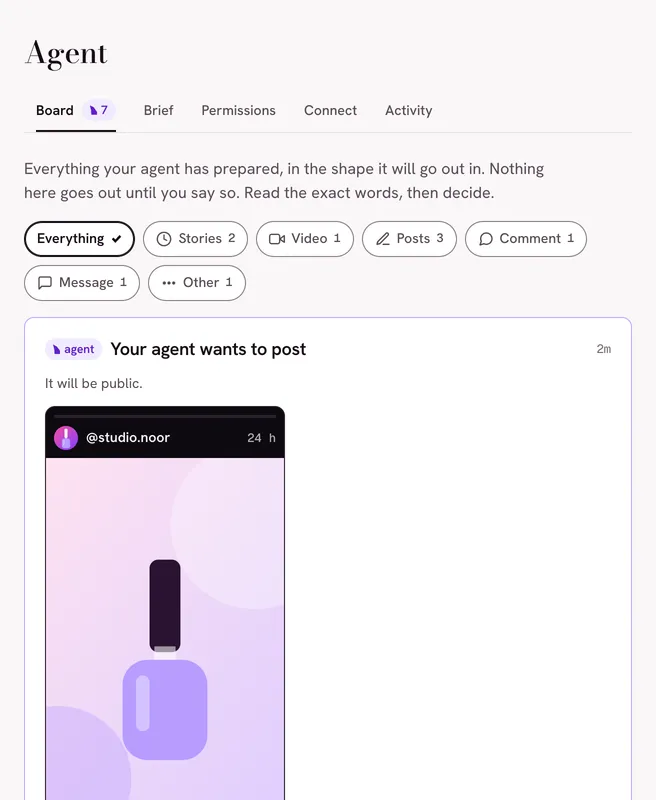
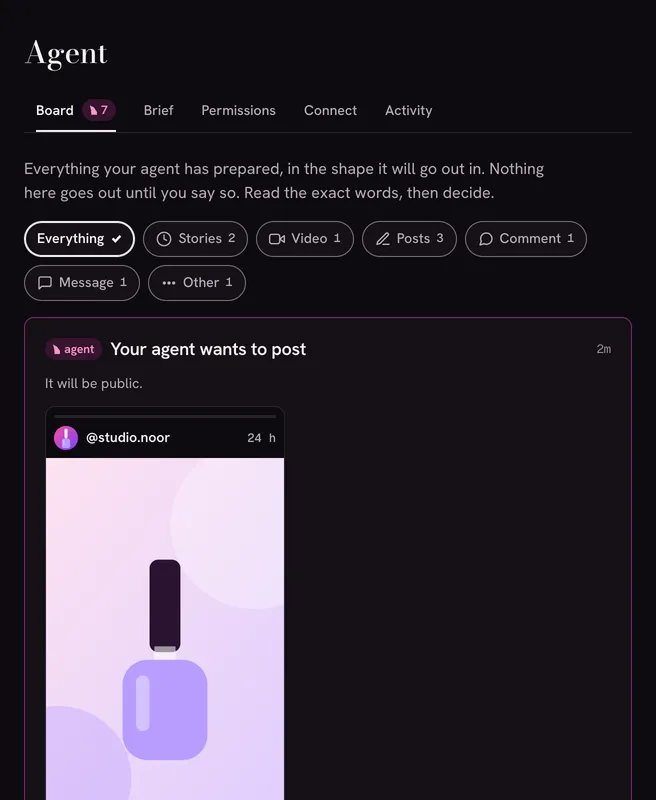
The agent screen in the baddie demo: what the agent has prepared, each item shown in full and waiting for a decision.The agent screen in the baddie demo: what the agent has prepared, each item shown in full and waiting for a decision.
the agent · sample accountsOpen the agent in the demo

baddie has an MCP server built in, so an AI agent such as Claude can read your inbox, draft replies and post for you.

You decide what it may do, one kind of action at a time: allow, ask or deny. A new install starts on ask first. The agent can read everything and prepare anything, and nothing leaves until you approve it.

Whatever it does, queues or is refused goes into an activity log. You can keep it to the accounts you choose, and a daily cap (100 actions unless you change it) limits what it may do by itself. It never sees your passwords or tokens.

Read this before you let an agent act without asking.

Posts, comments and messages are written by strangers, and some are written to trick an AI. baddie tells the agent to treat them as data, but that is a mitigation, not a guarantee. Asking first is the real protection.

What an agent may do on each of the three ready-made settings
Kind of actionRead only Ask first the defaultAct on its own
Read See feeds, comments, messages and notificationsAllowAllowAllow
Post Publish new postsDenyAskAllow
Comment Comment on posts and reply to comments, in publicDenyAskAllow
Message Answer in direct conversations that already existDenyAskAllow
Reach out Message people who have not written to you firstDenyAskAsk
React Like and repostDenyAskAllow
Follow Follow and unfollow peopleDenyAskAllow
Moderate Hide or delete other people’s comments on your postsDenyAskAsk
Delete Delete your postsDenyDenyAsk

Three starting points. Every cell is yours to change, and even on its own the agent still asks before it messages someone first, moderates or deletes.

Your accounts. Your machine. Your rules.

baddie is an app on your computer, not a website holding your accounts. There is no baddie server in the middle.

It runs where you are

The app talks to the platforms you connect, straight from your machine. We run no service that sees your posts, messages or accounts.

Encrypted, on your disk

Access tokens and app secrets are encrypted with AES-256-GCM before they are saved. The key is a file only you can read, or it is derived from a passphrase you set and never written to disk.

No account passwords

You sign in on the platform’s own page, or with an app password you can revoke. Telegram is the one exception, and the FAQ below says exactly how.

Open to inspection

Every line is on GitHub, including the parts that touch your tokens. Read it, build it yourself, or tell us what is wrong with it.

Prefer a terminal?

The same engine ships as a command-line tool. Everything the app does, baddie does from a prompt, with --json for scripts.

# connect, read, post, answer
baddie connect bluesky
baddie feed --home
baddie post "Hello from baddie" \
  --to me.bsky.social --to me@mastodon.social
baddie inbox

# let an agent in, reading only
baddie mcp --read-only

Read the quick start on GitHub

We tell you what the platforms won’t.

baddie only uses official APIs. That keeps your accounts clear of the bans that scraping earns, and it means a few things are off the table for every app, not only this one. Here is what works, and whose rule the rest is.

Early days. Every connection is written and tested against its platform’s documentation. None has been run on a live account yet. For Bluesky and Mastodon, public posts were read from the live services once, by hand.

Bluesky

Public reads checked live

The full set: timeline, posts, comments, DMs and notifications.

To connect: An app password from your Bluesky settings. Never your account password.

Public posts were read from the live service once, by hand. Nothing that needs an account has been run against it yet: not connecting, posting, replying, the inbox or notifications.

Setup and limits, in full for Bluesky

works

  • Home timeline and your own posts
  • Post with up to 4 images or one video
  • Comments, DMs and notifications
  • Like, repost and follow. Hide replies on your threads

the platform’s rules

  • Posts are 300 characters.
  • Nobody can delete another person’s reply. Hiding moves it out of the way.

Mastodon

Public reads checked live

Any instance: timeline, posts, comments, DMs and notifications.

To connect: Nothing. baddie registers itself on your instance when you sign in.

Public timelines of three instances were read live once, by hand. Nothing that needs an account has been run against a live instance yet.

Setup and limits, in full for Mastodon

works

  • Home timeline and your own posts
  • Post with images or video
  • Comments, DMs and notifications
  • Like, boost and follow

the platform’s rules

  • A DM on Mastodon is a post only the people mentioned can see.
  • Other people’s replies can’t be hidden or deleted. Mastodon has no API for it.

Facebook Pages

Not run live yet

Run your Pages: posts, comments and Messenger.

To connect: Your own free Meta developer app.

Tested against Meta’s documented responses. Not yet run on real accounts.

Setup and limits, in full for Facebook Pages

works

  • Your Page’s posts, with text, links, photos or a video
  • Comments and replies. Hide or delete comments, like as the Page
  • Messenger conversations

the platform’s rules

  • Pages only. Meta offers no API for personal profiles or the news feed, to any app.
  • Messenger replies are accepted for 24 hours after the person’s last message.
  • A post carries photos or one video, not both.

Instagram

Not run live yet

Professional accounts: posts, comments and DMs.

To connect: The same Meta developer app as your Pages.

Tested against Meta’s documented responses. Not yet run on real accounts.

Setup and limits, in full for Instagram

works

  • Your posts. Publish an image, a carousel or a reel
  • Comments and replies. Hide or delete comments
  • Direct messages

the platform’s rules

  • No home feed. Instagram doesn’t share it with any app.
  • DM replies are accepted for 24 hours after the person’s last message.
  • Instagram fetches media from a public link, so a file on your disk can’t be posted directly.
  • Needs a Business or Creator account linked to a Facebook Page.

YouTube

Not run live yet

Your channel: uploads, comments and subscriptions.

To connect: Your own free Google Cloud project.

Tested against Google’s documented responses. Not yet run on a real channel.

Setup and limits, in full for YouTube

works

  • Your uploads with views, likes and comment counts. Upload a video
  • Comments and replies. Hold or remove comments
  • A feed built from the channels you subscribe to

the platform’s rules

  • Until Google audits your API project, every upload stays private.
  • YouTube has no direct messages.
  • A daily quota applies, and uploads use most of it.

TikTok

Not run live yet

Publishing, and a list of your public videos.

To connect: Your own TikTok developer app.

Tested against TikTok’s documented responses. Not yet run on a live account.

Setup and limits, in full for TikTok

works

  • Post a video, or up to 35 photos
  • Your public videos

the platform’s rules

  • Until TikTok audits the developer app, every post is private: only you can see it.
  • No For You or Following feed, comments, DMs or notifications. TikTok has no API for them.
  • Photos must sit at a public link on a domain you verified with TikTok.

Telegram

Not run live yet

Your own account: private chats and groups.

To connect: A free api_id from my.telegram.org.

Tested against Telegram’s documented API. Not yet run on a live account.

Setup and limits, in full for Telegram

works

  • Your private chats and groups. Read, send and reply
  • Start a conversation by @username or phone number

the platform’s rules

  • This is a full login, like adding a phone. End it at any time in Telegram → Settings → Devices.
  • Channels are not shown. Telegram requires apps that display channels to carry its sponsored messages, and baddie doesn’t.
  • Telegram limits or bans accounts that send bulk messages from other apps. Answer people. Don’t broadcast.
  • Reading a chat here marks it as read in Telegram, as in any Telegram app. That holds when an agent reads it too.

WhatsApp Business

Not run live yet

The official Business Platform, for a business number.

To connect: A Meta app with WhatsApp set up: a phone number ID and an access token.

Tested against Meta’s documented requests and webhooks. Not yet run on a live number.

Setup and limits, in full for WhatsApp Business

works

  • Send and reply to customers, in text
  • Incoming messages, when Meta can reach your install

the platform’s rules

  • Business numbers only. There is no official API for a personal WhatsApp account, and we won’t use an unofficial one.
  • WhatsApp hands over incoming messages only at a public web address. Without one, baddie can send but can’t receive.
  • You can write freely for 24 hours after the customer’s last message. After that WhatsApp requires approved templates, which aren’t built yet.

Planned next

X, Threads, LinkedIn and Google Business Profile.

None of them is built yet, so none of them is listed as working.

Why some platforms ask you for a developer app.

A platform only lets an app serve the public after reviewing it. Those reviews take weeks, and baddie is new.

So today, some platforms need you to register your own free developer app with them. It is a form on their site that takes about ten minutes, once. You paste the app’s ID and secret into baddie, where they are stored encrypted like everything else.

The upside: the app that talks to your accounts is yours. Your limits, your keys, nobody else in the loop.

The catch: platforms restrict apps they have not reviewed. With Meta, comments and messages from the public can be missing. On YouTube and TikTok, posts stay private until the platform has audited the app. Their rules, spelled out per platform above.

The hosted version will come with reviewed apps, so this step goes away.

nothing to register
  • Bluesky
  • Mastodon
needs your own keys today
  • Facebook Pages
  • Instagram
  • YouTube
  • TikTok
  • Telegram
  • WhatsApp Business

Asked, answered.

Is it free?

Yes. The app and the command-line tool cost nothing, and there is no account to create.

The source code is public on GitHub. The open-source licence is still being finalised, and the footer of this page will name it the day it lands.

A hosted version is planned for people who would rather not run anything. It is not open yet and has no price yet.

Is it safe to connect my accounts?

baddie uses each platform’s official API, with the permissions you grant on the platform’s own sign-in page. Tokens are encrypted and stay on your computer. You can disconnect an account in baddie and revoke access in the platform’s settings whenever you like.

What it cannot protect you from: someone who can already use your account on your computer. And these are early days. Every connection is tested against its platform’s documented responses, and none has been run on a live account yet. For Bluesky and Mastodon, public posts were read from the live services once, by hand.

The security policy says what is protected, and what is not.

Does baddie read my passwords?

No. You sign in on the platform’s own page and baddie receives a token, never the password. Bluesky uses an app password that you create for baddie and can revoke.

One exception, stated plainly: Telegram. Its API signs you in the way a new phone would, so baddie asks for the login code Telegram sends you, and for your two-step verification password if you set one. Both are used once to sign in and are not stored. What baddie keeps is the session, which is full access to that Telegram account until you end it under Settings → Devices.

Can the AI post without me?

Only if you tell it to. Out of the box the agent can read and prepare, and every post, reply and message waits for your approval. Deleting is switched off.

You can move any kind of action to allow, ask or deny. Even then, a daily cap limits how much it may do by itself, and each thing it does or is refused is written to the activity log.

Can I schedule posts?

Yes, simply. Put a time on a post and it goes out then, as long as baddie is running on your computer.

There is no scheduling calendar, no analytics and no team features. If those are what you need today, baddie is not there yet.

Why does my Mac or Windows warn me when I install?

Because the installers are not code-signed. Signing certificates cost money, and this project is built with free tools only. Without a signature your system cannot tell who made the app, so it warns you.

The download page shows the warning, the safe way past it, and how to check your download.

Can I see the Instagram home feed?

No, and no other app can either. Instagram doesn’t share your home feed with other apps. The same goes for Facebook and TikTok.

You do get your own posts, comments and DMs. Bluesky, Mastodon and your YouTube subscriptions do show up as a home feed.

Is there a hosted version?

Not yet. Each platform has to review the app before it can serve other people, and we will not hold anyone’s tokens until the account security is right.

Where the hosted version stands.

Your socials, handled.

The first release is not out yet. Until it is, try the real app in your browser, or build it from source.